![MGID_Logo_Help_Center_W_R_Swoosh.svg]](https://help.mgid.com/hubfs/MGID_Logo_Help_Center_W_R_Swoosh.svg)
MGID offers several widget formats for different pleacements on your website. Compare where each one appears and review any device-specific considerations before choosing a format.
You can see live examples of our main formats in MGID Ad Gallery.
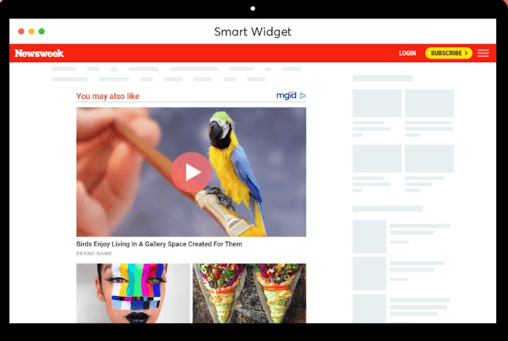
The Smart Widget is designed to display recommendations naturally as users scroll through your content. It adapts to the page layout and appears at an optimal position, helping maintain user engagement while creating additional opportunities for clicks and revenue.
By adding this format, you can make better use of existing website traffic, encourage users to discover more content, and as a result increase your overall earnings.
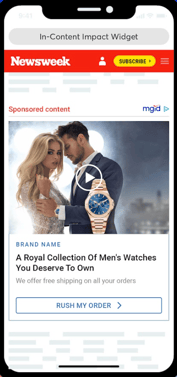
In-Article widget is placed naturally within the body of your articles. Because it appears while readers are actively consuming your content, it can attract attention at the right moment and encourage users to discover relevant recommendations.
This format may help increase content engagement, generate more clicks, and create an additional revenue stream without significantly disrupting the reading experience.
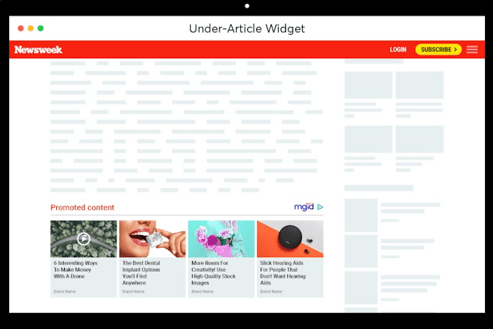
Under Article widget is placed directly below your article content, where users are most engaged and actively looking for related information. Its natural position encourages readers to explore recommended content, which can help increase clicks, engagement, and overall revenue.
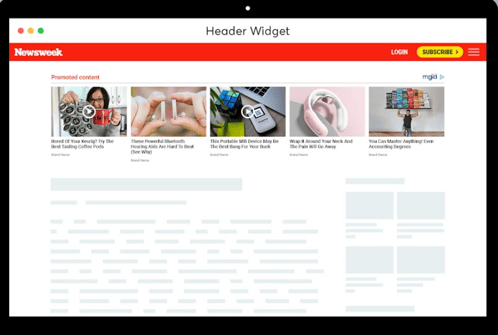
Header widget is a highly visible format placed at the top of the page, where it can attract users’ attention from the moment they open your website. Its prominent position can help increase ad visibility, generate more clicks, and encourage readers to explore recommended content.
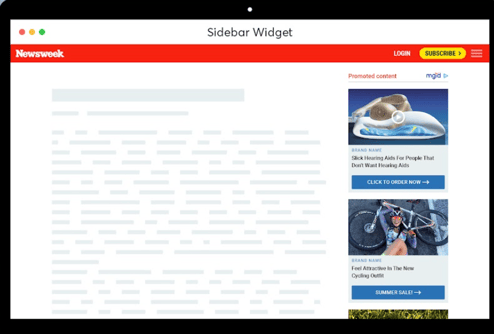
Sidebar widget is placed in the sidebar of the website. On the mobile version, it is moved to the bottom of the page, so it is better to use Sidebar on websites with mostly desktop traffic.
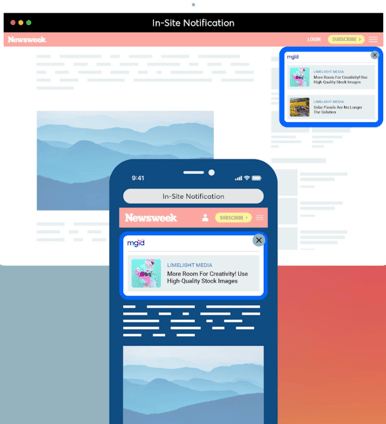
In-site notification format is designed to resemble a native in-site notification and appears above the content, helping attract users’ attention without disrupting their browsing experience. Its concise format can generate strong engagement and additional clicks.
Swipe Up is an innovative monetization solution designed to replace the standard sticky bar. It appears after users interact with your website - such as scrolling a certain distance - and allows them to swipe up to expand the ad.
Based on testing across our publisher network, Swipe Up has delivered:
- 11% higher RPM
- 15% higher vRPM
- 30% higher revenue
Swipe Up is a dynamic format and you can see it in action here.
Exit Story is a next-generation format designed to comply with Google’s updated requirements.
It can help you to increase RPM by an average of 5%, with potential growth of up to 15% and generate additional revenue from users who are about to leave your website.
Exit Story uses smart behavioural triggers, including inactivity, tab switching, scroll behaviour, and exit intent, to engage visitors at the right moment and create an additional monetization opportunity.
Exit Story is a dynamic format and you can see it in action here.
If you need any recommendations on the widgets, you can always contact your account manager.